
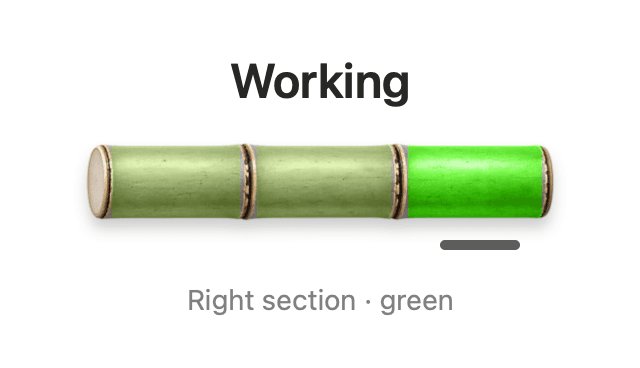
Working
Observed work is in progress.
BAMBOO PULSE · MAC APP
Keep local Codex sessions in sight, right in your Mac’s menu bar. See what’s working, what needs your input, and when a turn has ended.
Download beta for MacPublic beta · Apple Silicon · ChatGPT/Codex
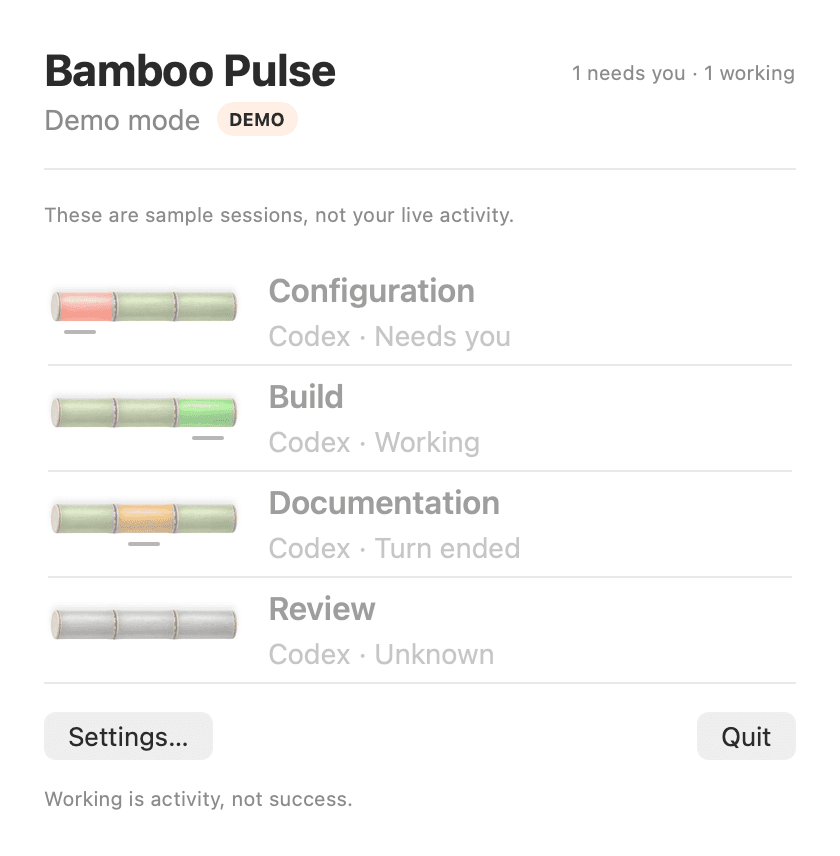
For developers and product builders working across local Codex chats. Check session activity at a glance, then return to the conversation that needs you. This beta supports the documented ChatGPT/Codex desktop setup on Apple Silicon.
Observed work is in progress.

A session is waiting for your input or permission.

The turn ended. Open the chat to check the result; this does not confirm task success.
Current status cannot be established. Check the chat and monitoring message.
Follow local sessions in a small menu-bar view. Choose bamboo stalks or a compact layout, with optional text labels.
Enable notifications for sessions that need you. macOS notification permission and Focus settings apply.
Select a live session to open its chat when a valid destination is available.
The DMG includes the monitoring runtime. You do not need Xcode or a separate Python installation. Setup asks for consent before adding Codex hooks and a shell startup block.
No hardware purchase is required to use the Mac app. The downloadable package includes the local monitoring runtime.
The current package requires Apple Silicon and the supported ChatGPT/Codex desktop setup. Check the selected release’s requirements. Intel, Windows, Linux and other AI apps are outside this beta’s announced scope.
Confirm that monitoring and the seven hooks are enabled, then restart both ChatGPT and Pulse and start a new local task. DEMO sessions are examples. Use the release guide for troubleshooting.
In Pulse Settings, enable Notify when a session needs you, allow macOS notifications, then use Send test notification. To uninstall, use Manage monitoring to remove Pulse’s setup before deleting the app; unrelated configuration is preserved.